The AI vs human designer debate has a clear answer. AI wins on speed and volume, while human designers win on strategy, originality and accountability. The best results come from combining both in one hybrid workflow.
An AI designer is a tool that turns text prompts into layouts, images or code in minutes. A human designer starts with brand strategy, sets creative direction and takes responsibility for the outcome. The two differ most in human judgment, cost and how generic AI outputs can look.
Below, you'll see what each side does best, what each costs and how AI is changing design. You'll also compare live website examples, then get tips for choosing and a hybrid workflow for real projects.
What Is an AI Designer?
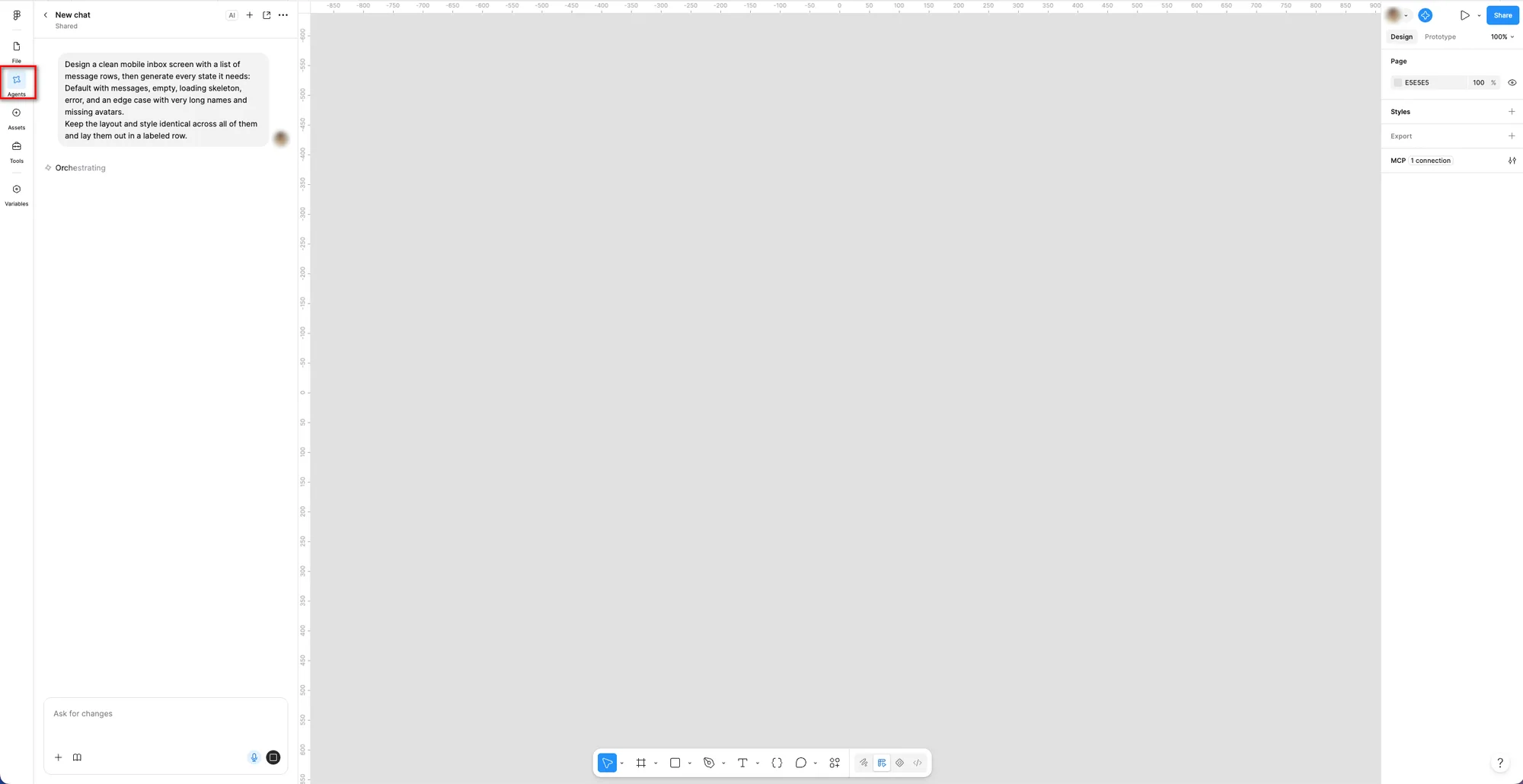
An AI designer is a generative AI tool that turns text prompts into images, layouts or code. Common examples include Figma Make, Canva AI, Adobe Firefly, Lovable and v0.
AI designers produce visual possibilities from patterns in their training data. They don't understand your brand, your audience or the business problem behind the brief. So the output can look polished while missing the point.
How Do AI Design Tools Work?
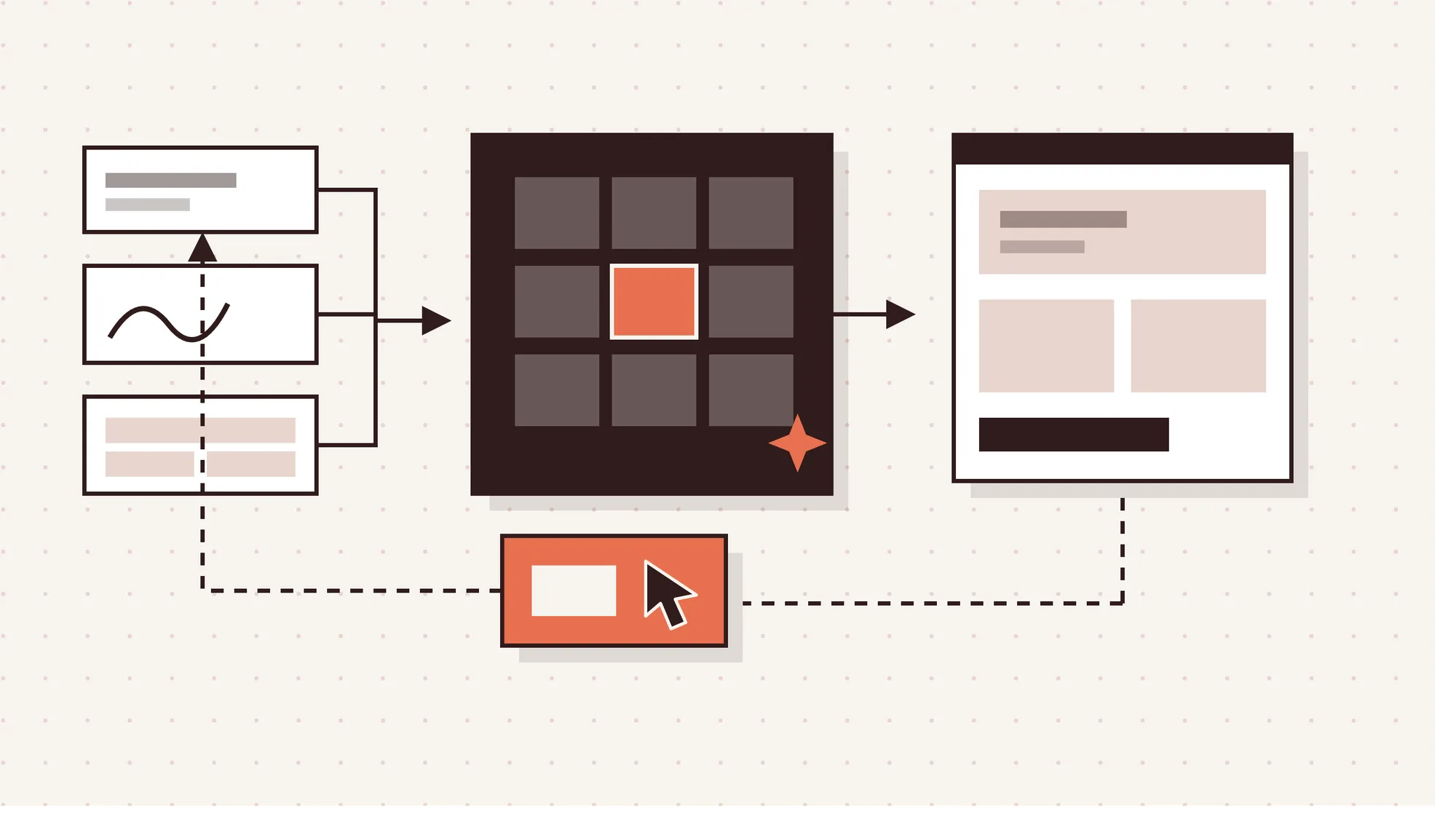
AI design tools work by matching your prompt against patterns learned from training data, then generating an output.
4 steps of how AI design tools work are given below.
- Prompt input: You give the tool a text prompt, a hand sketch, a mockup image or a Figma frame. Richer input means less guessing.
- Pattern matching: The tool compares your input with design patterns from its training data. It predicts which layouts, colors and components usually fit.
- Output generation: The tool produces images, layouts, UI components or front-end code. Vibe coding tools like Lovable can return a working interactive prototype.
- Human iteration: You review the result, then re-prompt or edit it by hand. Most usable outputs need several rounds. Input quality shapes output quality. A Nielsen Norman Group study from October 2025 found detailed prompts produced better results. Prompts with a Figma frame link gave the most accurate translation of the original design.
What Is a Human Designer?
A human designer is a trained professional who creates visual concepts to solve a business or user problem. The main types are graphic designers, UI/UX designers, web designers and brand designers.
Graphic designers create logos, layouts and marketing assets. UI/UX designers shape how apps and software feel to use. Web designers plan websites, and brand designers build the full visual identity.
A human designer meets the client, studies the client brief and researches the target audience. Then they set creative direction, choose colors and typefaces and present concepts. Finally, they handle design revisions and check every detail for errors before launch.
What Is the Difference Between AI and Human Designers?
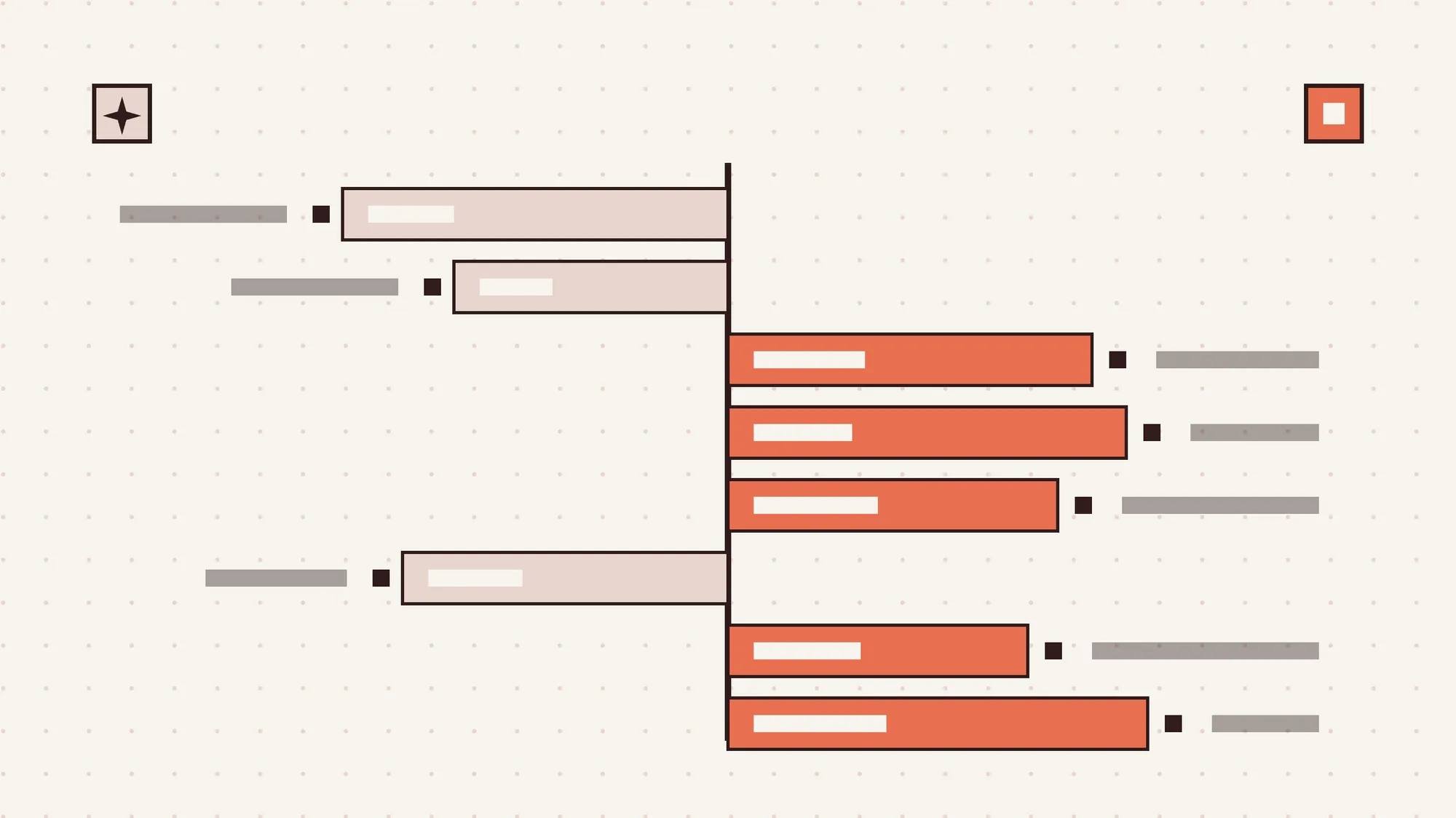
The main difference between AI and human designers is that AI follows patterns, while humans make strategic choices. AI generates designs from its training data. Human designers decide based on context and take responsibility for the result.
That core difference shows up across 8 factors, from speed and cost to accessibility and accountability. AI leads on fast volume work. Human designers lead wherever a design must fit a brand, a culture or a real user need.
The key differences between AI and human designers are shown in the table below.
| Factor | AI Designer | Human Designer |
|---|---|---|
| Speed | Creates drafts and mockups in minutes, and some sites launch same day | Takes days to weeks because research and iteration come first |
| Cost | Ranges from free plans to low monthly subscriptions | Costs more upfront through a salary, freelance fee or agency price |
| Originality | Remixes training data, so outputs look generic without visual direction | Creates distinctive concepts shaped by brand strategy and storytelling |
| Brand strategy | Follows the prompt as written and can't challenge a weak brief | Questions the brief and ties design choices to business goals |
| Context and culture | Misses nuance and can pick the wrong design pattern | Applies cultural and contextual judgment to audience and market |
| Variations at scale | Produces dozens of variations, resizes and formats in one session | Works slower on repetitive production tasks like resizing |
| UX and accessibility | Tested outputs showed weak hierarchy, poor contrast and inconsistent margins | Weighs UX trade-offs and checks contrast, keyboard use and alt text |
| Accountability | Takes no responsibility for errors, IP problems or misleading claims | Takes responsibility for the final outcome and fixes what goes wrong |
What Can AI Designers Do Better Than Human Designers?
AI designers do better than human designers at fast, high-volume work where speed matters more than strategy.
6 tasks AI designers do better than human designers are given below.
- Early concept exploration: AI can produce dozens of rough directions from one prompt in minutes. Your team sees more options before investing real design time.
- Rapid prototyping: AI prototyping tools turn a written idea into a clickable prototype within an hour. That suits early usability tests and stakeholder demos.
- Repetitive production tasks: AI handles resizing, format variations and background clean-up without fatigue. Designers get hours back for work that needs judgment.
- Personalized creative variations at scale: One approved ad concept can become hundreds of versions for different audiences, sizes and channels. By hand, that takes days.
- Mood boards, storyboards and presentation mockups: AI quickly assembles visual references and scene sketches for pitches. Teams can agree on a direction early.
- Faster turnaround: Klarna cut its image development cycle from 6 weeks to 7 days in Q1 2024 using generative AI. Speed is AI's clearest win.
What Can Human Designers Do That AI Cannot?
Human designers can think strategically, judge context and own the outcome in ways that AI cannot.
7 things human designers can do that AI cannot are outlined below.
- Challenge weak briefs and set strategy: A human designer asks why the project exists before designing anything. That can expose a wrong goal before it wastes budget.
- Create a distinctive, original brand identity: Humans build brand identity from positioning, story and audience research. The result looks like one company, not a remix of thousands.
- Apply cultural and contextual judgment: Designers know when a color, symbol or phrase means something different in another market. AI only sees what's common.
- Weigh UX trade-offs and choose the right design pattern: Good UX trades density against clarity or speed against safety. Humans pick the pattern that fits the real user task.
- Build emotional connection with the audience: People respond to design that feels made for them. Human designers use tone, imagery and pacing to earn that trust.
- Design systems, not one-off outputs: A design system keeps every screen and component consistent as a product grows. AI makes single outputs, while humans plan the rules.
- Take responsibility for accuracy, legal and brand risk: A human designer checks claims, licenses and brand rules before launch. If something breaks, a person owns the fix. Nielsen Norman Group's 2025 study found AI prototypes had weak visual hierarchy, poor contrast and inconsistent margins. They also shared a generic look. The researchers linked that sameness to tools defaulting to libraries like Shadcn and Tailwind CSS.
Their verdict was blunt: the outputs were "good from afar, but far from good."
What Are Real Examples of AI Design Failures?
AI design failures happen when teams release AI output without enough human review.
3 real examples of AI design failures are outlined below.
- Figma "Make Designs," July 2024: Figma pulled the feature after Andy Allen of NotBoring Software showed outputs resembling Apple's iOS Weather app. CEO Dylan Field announced the removal. The lesson: AI can copy existing designs, so human review protects your brand.
- Coca-Cola AI holiday ads, 2024 and 2025: Both campaigns drew public backlash. Reviewers criticized the 2025 ad for clashing visual styles and missing emotional warmth. The lesson: emotion-led brand work still needs human craft.
- Nielsen Norman Group AI prototyping test, October 2025: The tools produced polished screens that missed context. Several read "profile" as a social profile and added a LinkedIn-style banner. The lesson: polished AI output still needs human QA.
How Much Does an AI Designer Cost Compared to a Human Designer?
An AI designer costs far less upfront, from free to about $100 a month. A human designer costs hundreds to thousands of dollars per project, or a full salary.
AI design tools range from free plans to paid subscriptions. In April 2026, Canva ran from a free plan with limited AI credits up to $100 a month. Check official pricing pages before you budget, since prices change often.
Human design costs depend on the hiring model. The BLS reports a median annual pay of $62,960 for graphic designers as of May 2025.
Web and digital interface designers earned a $104,000 median in May 2025. That figure comes from BLS data compiled in Adobe's June 2026 creative professions report.
Agency project pricing is the third route. With Panze's project-based pricing, plans start from $1,000, $3,000 and $4,000, depending on scope.
AI also carries hidden costs: prompting and fixing time, human review, rework and brand risk. Purely AI-generated work gets limited copyright protection in the US too. So AI is cheaper upfront, while human design gives better long-term value for core brand assets.
Our guide to UI/UX design cost breaks down human pricing models in more detail. The cost of AI design tools vs human designers is shown in the table below.
| Option | Typical Cost | Best For |
|---|---|---|
| AI design platform, such as Canva | Free plan to $100 a month, as of April 2026 | Quick social graphics, drafts and internal mockups |
| AI logo generator | About $20 to $100, a common market estimate | Placeholder or very early-stage logos |
| In-house graphic designer | $62,960 median annual pay, May 2025 | Steady, ongoing design needs |
| In-house web and digital interface designer | $104,000 median annual pay, May 2025 | Product and website UX |
| Design agency, such as Panze | Plans from $1,000, $3,000 and $4,000 | A launch-ready website or product without hiring |
How Is AI Changing the Design Industry?
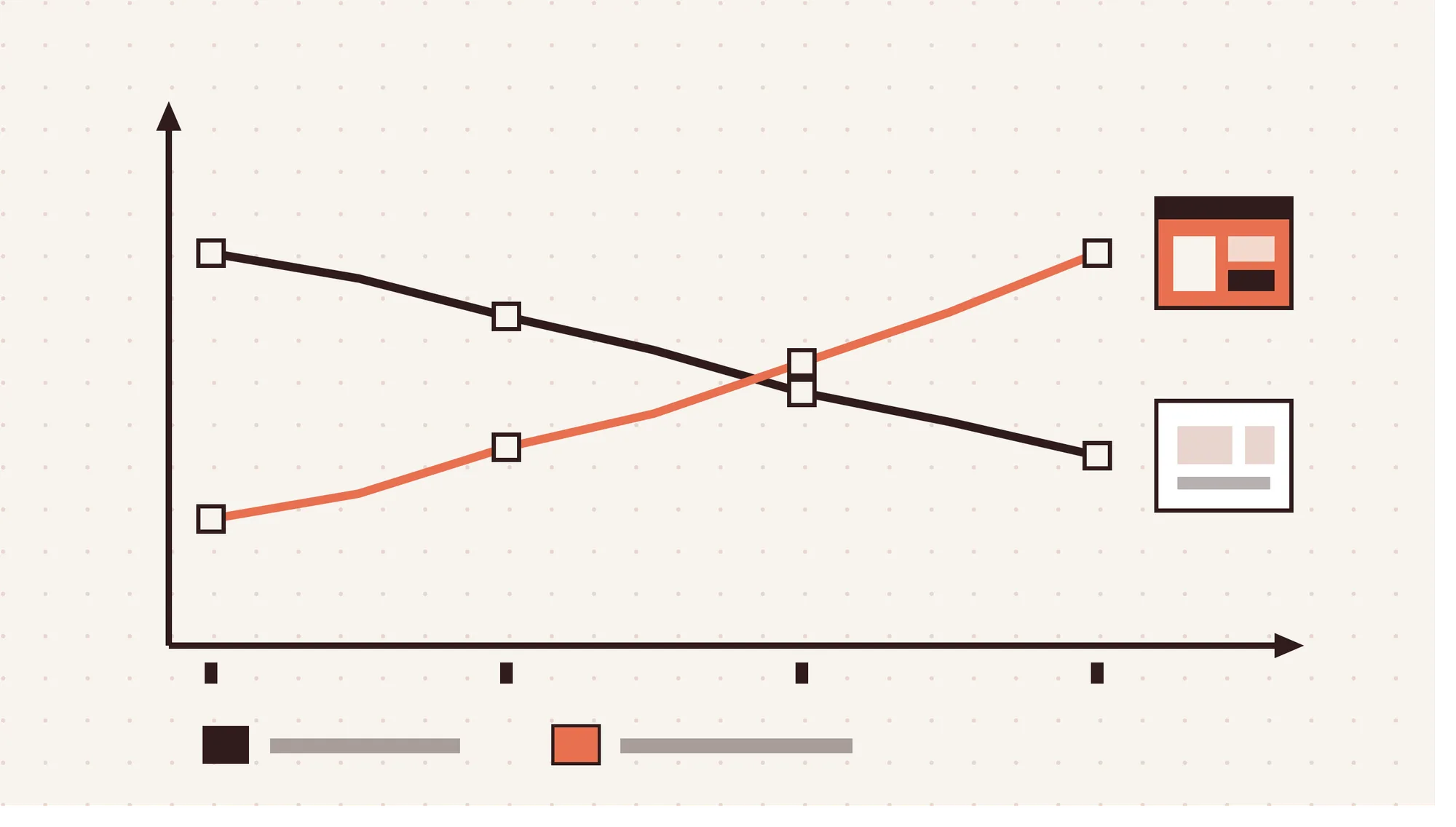
AI is changing the design industry by shrinking production work and growing demand for UX and product design.
8 major changes AI has brought to the design industry are outlined below.
- Lower demand for production graphic design: The BLS projects a 2% drop in graphic designer jobs from 2025 to 2035. Adobe's June 2026 report shows US graphic designer employment fell 7.7% between May 2024 and May 2025.
- Growing demand for digital and UI/UX design: The same Adobe report projects 7.0% growth for web and digital interface designers from 2024 to 2034. Interface and product work is where hiring is heading.
- Fewer freelance image jobs: A Management Science study by Zhu et al. tracked 1.4 million freelance listings from 2021 to 2023. Graphic design and 3D modeling posts fell 17.01% relative to manual-intensive jobs after AI image generators arrived.
- Blurring roles between designers and developers: Figma's 2026 AI report found 41% of designers now take part in development, up from 21%. Developers doing design work rose from 44% to 60%.
- Design valued more, not less: The same Figma 2026 report found 90% of respondents rate design at least as important as before AI. Nearly 6 in 10 say it matters more now.
- Brands moving production work to AI: Klarna cut its marketing agency spend by 25% in Q1 2024. Generative AI also saved the company about $1.5 million on images that quarter.
- Design platforms turning into AI agents: Canva announced Canva AI 2.0, an agentic design suite, on April 16, 2026. Its agents create and edit designs from conversational prompts for more than 265 million users.
- A satisfaction gap between designers and developers: Figma's 2025 survey of 2,500 designers and developers found 69% of designers satisfied with AI tools. Developers were happier, at 83%. For the visual styles shaping this shift, see our roundup of graphic design trends.
What Are Examples of AI-Designed vs Human-Designed Websites?
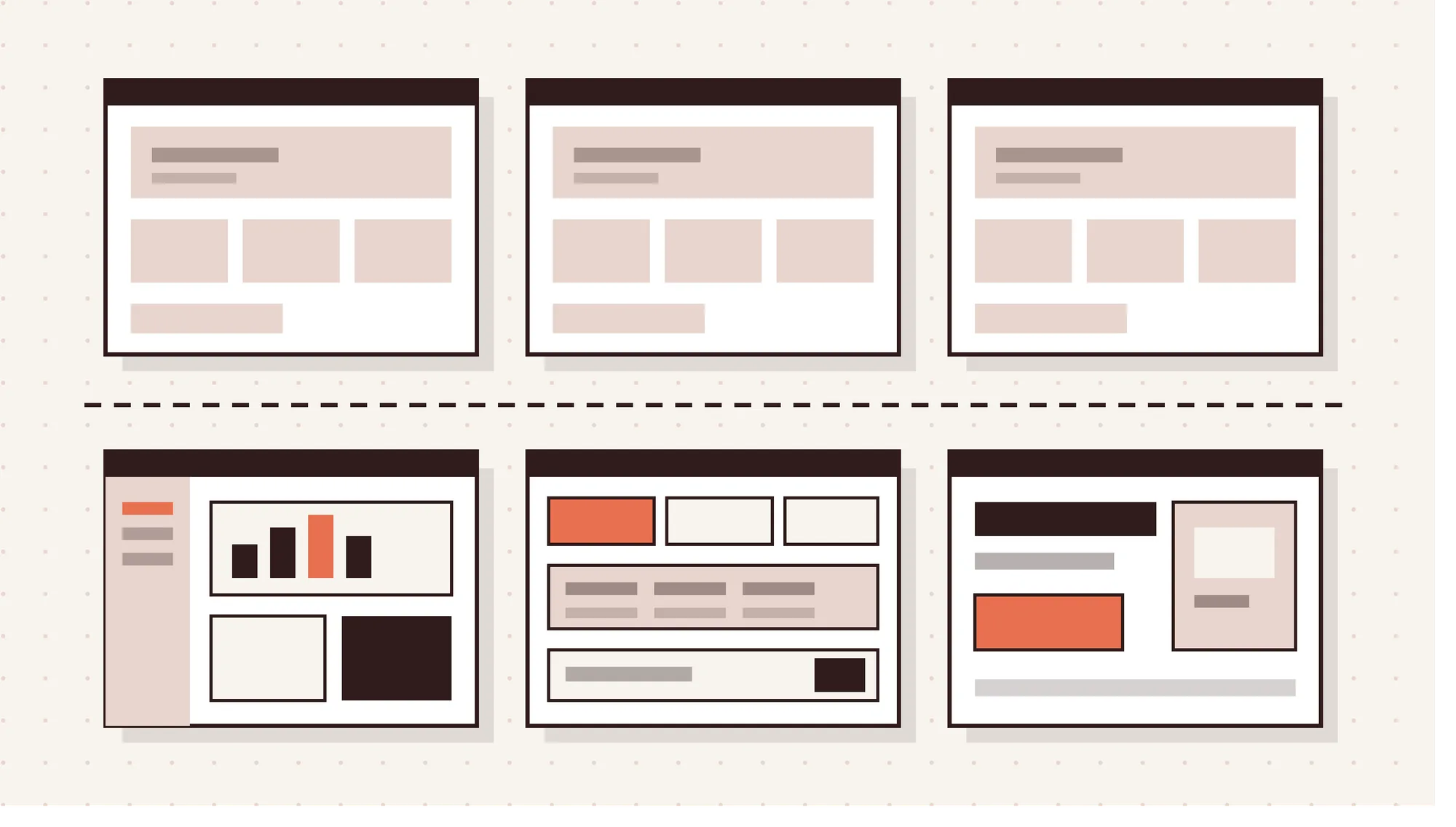
AI-built websites usually follow template-led layouts and default component libraries, while human-designed sites use custom, brand-led structure. Human teams also plan product UI and conversion paths around real user goals. Every example below is a live website you can visit.
What Are Examples of Websites Built With AI?
Websites built with AI are sites generated mostly by AI website builders from prompts, with light human edits. The 3 small business sites below appear in a public Lovable website showcase.
3 live websites built with AI are given below.
- Jukebox Burgers, jukeboxburgers.com: A burger and milkshake restaurant in Laval, Quebec, built with Lovable. The site launched fast and has a clean layout with a clear order-online button. Its stock sections look like many other AI-built restaurant sites.
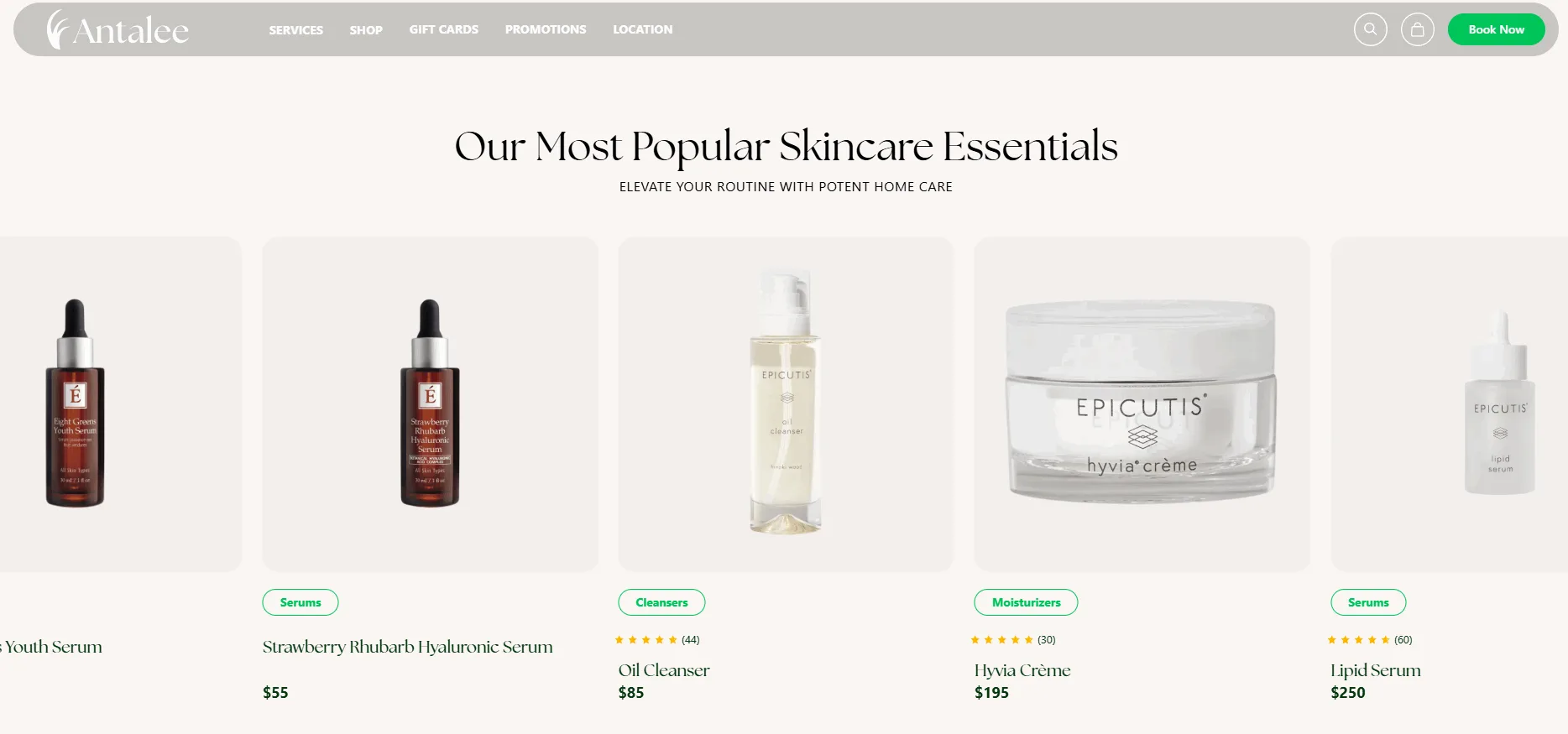
- Antalee Med Spa, antalee.com: A wellness spa in Glenview offering facials, skincare and massage, built with Lovable. Speed to launch and a tidy layout suit a local business. But the template sections feel interchangeable with other spa websites.
- Pension Heuhexe, pension-heuhexe.de: An 8-room guesthouse in Fladungen, in Germany's Rhön region, built with Lovable. The site gave a small business online booking quickly. Its common components follow a layout many AI-built hospitality sites share.
What Are Examples of Websites Designed by Human Designers?
Websites designed by human designers are planned around a specific audience, service and brand.
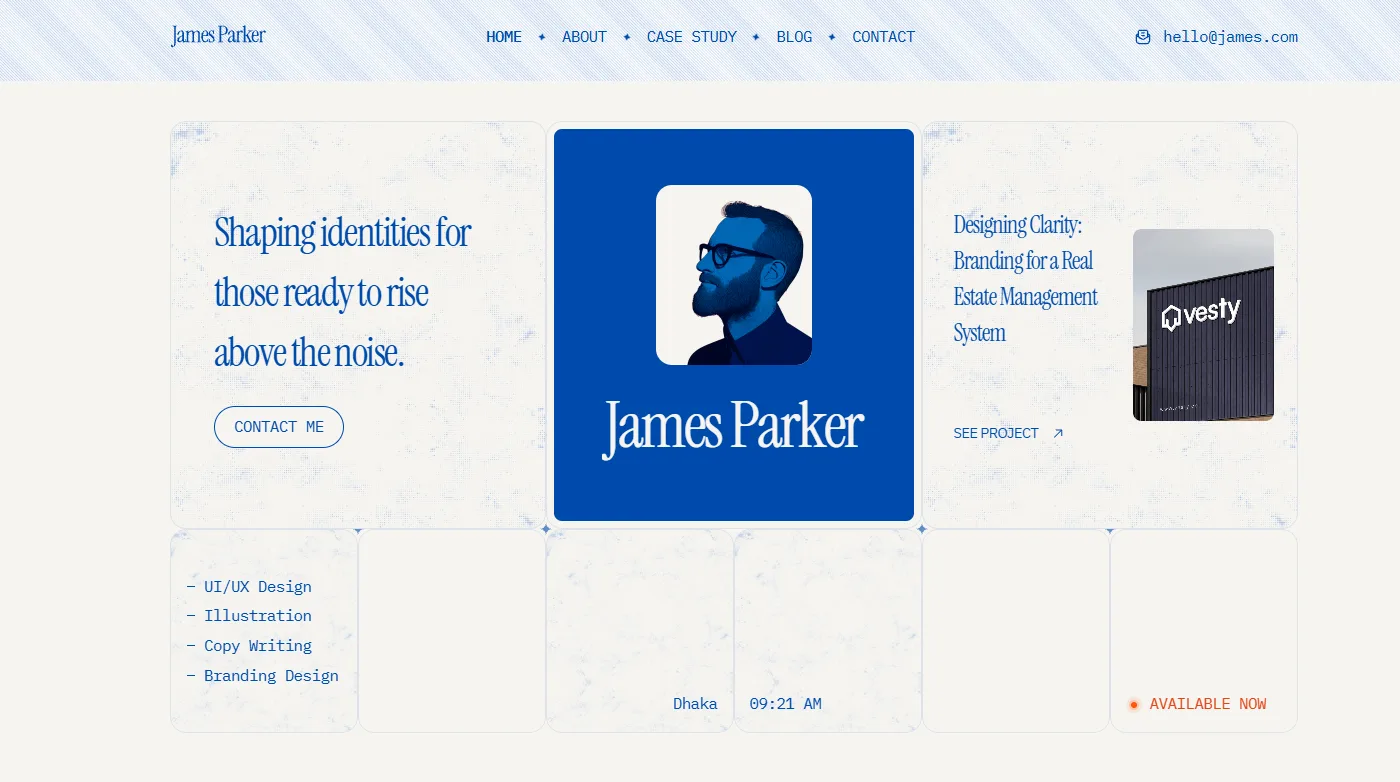
- James Parker: A portfolio template for designers, developers and freelancers. It has pages for case studies, a blog and contact, plus a style guide. The layout is built to present work clearly, which AI tools often miss.
- Fabian Lorde: A template for therapists, counselors and wellness coaches. Soft styling and calm layouts build trust with visitors. Separate Services and Programs pages guide them toward booking. Tone and emotional comfort are hard for AI builders to get right.
- Tavian Reed: A template for fitness trainers and personal coaches. It has dedicated Services and Pricing pages that show training programs and client transformations. The structure follows how a visitor decides to hire a coach. Each template started with research into its audience, which is the core of website UI/UX design. AI builders skip that step.
How to Choose Between an AI and a Human Designer?
To choose between an AI and a human designer, start with your goal and your risk.
6 steps to choose between an AI and a human designer are given below.
- Define the goal: Decide if you need a quick test or a long-term brand asset. Quick tests suit AI, while lasting assets deserve human design.
- Check your budget and timeline: A tight budget and a deadline in days favor AI tools. A launch measured in weeks leaves room for research.
- Assess how much brand strategy the project needs: Work that defines positioning or visual identity needs a human. Work that follows existing brand guidelines can lean on AI.
- Consider the risk: Regulated industries, trademarks and sensitive data raise the cost of mistakes. Use human-led design wherever an error could cause legal trouble.
- Decide who owns quality checks and accountability: Someone must review accessibility, accuracy and brand fit before launch. If nobody on your team can, hire a designer.
- Pick AI-only, human-led or a hybrid approach: Choose based on the first five answers. Most projects land on a hybrid, with humans directing and AI producing. Go AI-first for a minimum viable product, or MVP, landing page, social variations and internal mockups. Go human-led for brand identity, fintech and healthtech products, and SaaS product UX. Those projects carry real risk if the design gets the user or the rules wrong.
How to Combine AI and Human Designers in One Workflow?
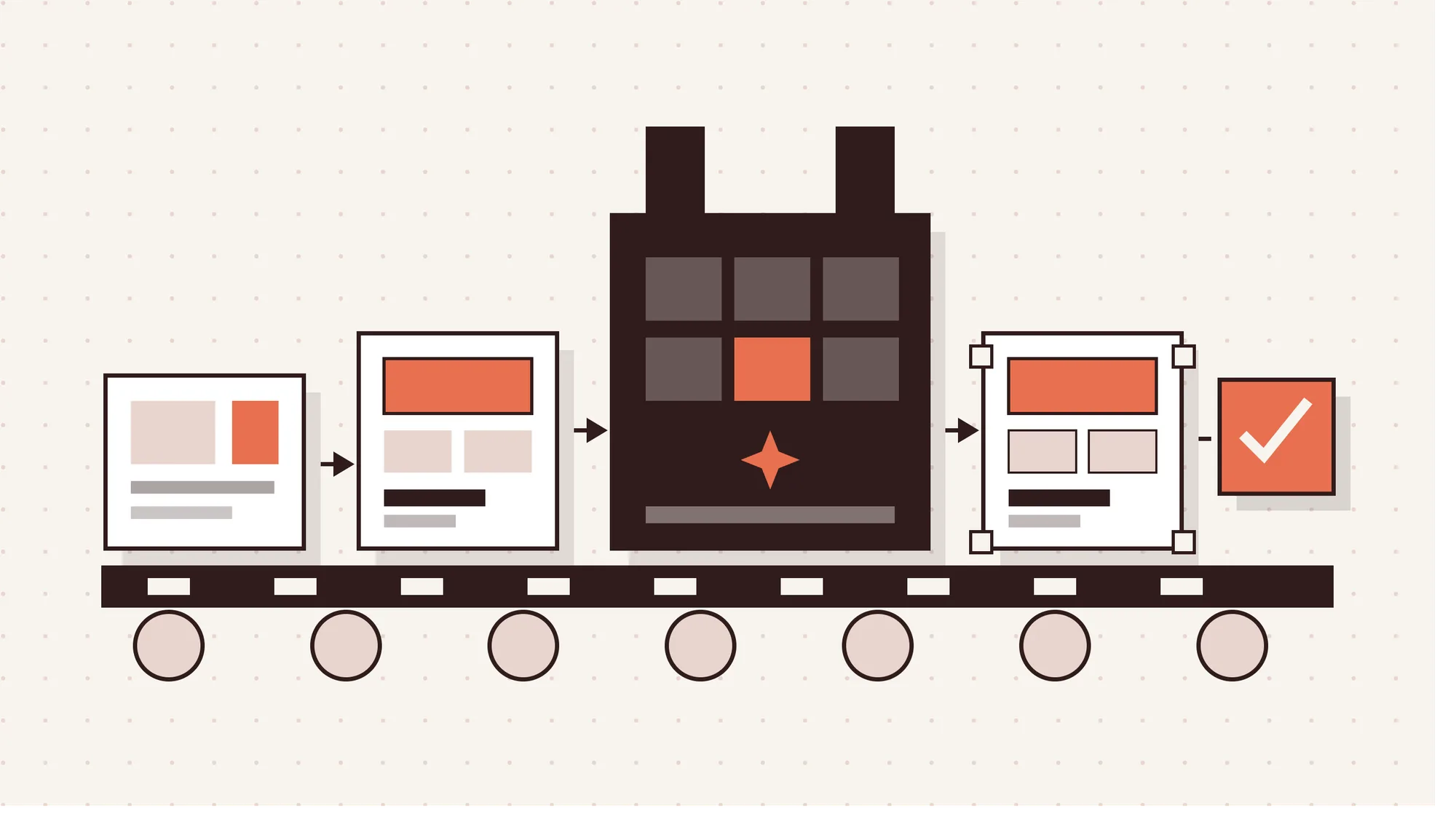
To combine AI and human designers in one workflow, let humans lead and let AI produce.
5 steps to combine AI and human designers in one workflow are given below.
- Research and strategy led by humans: Designers run user research, competitor audits and goal setting. AI can summarize data, but people decide what the product must do.
- Creative direction set by senior designers: Senior designers define the visual language, type, color and layout rules. Clear direction keeps AI output from looking generic.
- AI generates layouts, components and variations: With direction set, AI-generated layouts and components cover production quickly. Teams can test more options in less time.
- Human refinement of hierarchy, accessibility and brand consistency: Designers fix spacing, contrast and visual hierarchy, then align every screen with the brand. That turns a draft into production-ready quality.
- Human QA, testing and launch: People test across devices and browsers, check accessibility and approve the launch. Nothing ships without human review. Panze's Complete AI Solution follows this model. Humans set the direction, AI does the heavy production work and humans check everything before it goes live. For agencies, that means AI design and development with senior designers accountable at every step.
Will AI Replace Human Designers?
No, AI will not fully replace human designers because it replaces tasks, not the designer role. AI handles production work like resizing, drafts and variations quickly. But someone still has to frame the problem, direct the AI and judge the result.
Demand is shifting from production work toward strategy, UX and directing AI. AI isn't replacing the designer, it's replacing the busywork.
Will AI Replace Graphic Designers?
No, AI will not replace graphic designers entirely, but it is shrinking parts of the job. The World Economic Forum's Future of Jobs Report 2025 lists graphic designers as the 11th fastest-declining job.
The BLS outlook also projects a small decline through 2035. Production tasks like resizing and simple social graphics are the most exposed to automated design tools. Brand work and art direction still rely on people.
Will AI Replace UI/UX Designers?
No, AI will not replace UI/UX designers because UX depends on user research and trade-offs AI can't judge. The same WEF report ranks UI/UX designers as the 8th fastest-growing job.
AI prototyping tools help with early ideas and usability testing. But Nielsen Norman Group found AI prototypes miss context and nuance. UX designers fill that gap by watching real users and weighing trade-offs.
What Design Skills Will Stay in Demand With AI?
The skills that stay in demand are the ones AI can't do alone: thinking, directing and checking.
6 design skills that will stay in demand with AI are given below.
- Strategic and brand thinking: Connecting every design choice to positioning, audience and business goals.
- UX research and problem framing: Finding the real user problem before anyone designs a solution.
- Creative direction of AI tools: Writing precise prompts, setting art direction and rejecting weak outputs.
- Design systems: Building reusable components and rules that keep products consistent at scale.
- Quality control and accessibility: Checking contrast, hierarchy, keyboard use and alt text before every launch.
- Collaboration with developers: Writing clear handoff specs and working in shared tools with engineering teams.
What Are the Pros and Cons of AI Designers?
AI designers are fast, cheap and strong on volume, but their generic work needs human review.
The pros and cons of AI designers are given in the table below.
| Pros | Cons |
|---|---|
| Creates fast drafts, mockups and prototypes in minutes instead of days | Produces a generic, interchangeable look without clear visual direction |
| Keeps upfront cost low, with free plans available on most major tools | Misses context and can choose the wrong design pattern for users |
| Generates many creative variations at scale for ads and social content | Weak hierarchy and contrast mean every output needs human QA |
| Handles repetitive production tasks like resizing and background clean-up | Purely AI-generated work cannot be copyrighted in the US, which limits protection |
| Makes basic design work accessible to founders, marketers and other non-designers | Copied designs or public backlash can create real brand risk |
How Do AI Design Options Compare With Human Alternatives?
AI design options beat human alternatives on speed and price but fall behind on brand fit and control. The 3 comparisons below cover logos, websites and the overall design approach.
What Is the Difference Between an AI Logo Generator and a Logo Designer?
An AI logo generator works from a prompt, while a logo designer works from brand research. The designer studies your target audience and builds a distinctive mark for your brand identity.
Typical market estimates put a professional logo at about $300 to $1,000. A prompt-only logo also can't be copyrighted in the US, which weakens brand protection. Brands that plan to keep their mark usually invest in professional logo and branding design.
What Is the Difference Between AI Website Builders and Web Designers?
AI website builders launch a site in minutes or hours, while web designers take weeks. Builders customize within templates, but web designers offer full customization and custom functionality.
Builders handle basic SEO, while designers and developers handle technical SEO and Core Web Vitals. Those are Google's metrics for loading speed, responsiveness and visual stability. Builders also rely on chatbot help, while a web designer gives ongoing human support.
What Is the Difference Between AI-Assisted Design and Traditional Design?
In AI-assisted design, a human designer uses AI inside the process and still owns the result. Traditional design is produced manually, from the first concept sketch to the final file.
AI-assisted design raises production speed on drafts, variations and code. Traditional design gives full creative control at every step but takes longer. Both keep a human in charge, so the difference is how much manual work AI speeds up.
Final Thoughts on AI vs Human Designers
The AI vs human designer choice isn't really either-or. AI wins on speed and volume, from drafts to variations to production tasks. Human designers win on strategy, originality and accountability, the parts that decide whether a design works.
The best results come from a hybrid workflow. Humans set the direction, AI handles production and humans review everything before launch. That's the model behind Panze's AI-accelerated, human-led design.
If you want that balance on your next project, get a quote from the Panze team. We'll scope it with you and suggest the right mix of AI and human design.
Frequently Asked Questions
Do Professional Designers Use AI Tools?
Yes, professional designers use AI tools because they speed up drafts, image edits and variations. Figma's 2025 AI report found 54% of designers say AI improves their work quality. Most designers still refine AI output by hand before it reaches a client.
Can You Copyright AI-Generated Designs?
No, purely AI-generated designs cannot be copyrighted in the US because copyright requires human authorship. The US Copyright Office's report from January 29, 2025 says prompts alone are not enough. Human selection, arrangement and creative changes can qualify, judged case by case.
Treat this as general information, not legal advice.
Can People Tell AI Design From Human Design?
No, most people cannot reliably tell AI design from human design because AI copies common styles well. Lovart, a company that sells AI design tools, ran a blind test with 500 participants in November 2025.
Participants scored 61% overall. Designers scored 64% while expecting 82%, and they spotted logos correctly only 47% of the time. Since Lovart sells AI tools, treat these results as vendor data.
Can AI Create a Complete Brand Identity?
No, AI cannot create a complete brand identity on its own because a brand is more than visuals. AI can draft logos, color palettes and type pairings in minutes. But brand discovery, positioning, brand guidelines and consistency across every touchpoint still need a human designer.