Arabic, Hebrew, Persian and Urdu readers start every screen from the right. RTL mobile app design rebuilds an app's layout, navigation and directional icons around that reading direction. Done well, the app feels made for right-to-left languages, not translated on top of an English screen.
The process starts with target scripts and a mirrored layout. Then come flipped directional icons and fixed universal elements. Typography, numbers, tab bars, swipe gestures and forms with bidirectional text each need their own rules.
Developers then swap left and right for start and end on iOS, Android, Flutter and React Native. AI-assisted localization speeds up the first draft, but native speaker review still catches what agents miss. Below, you'll find the full workflow, real cost figures and testing steps on real devices.
What Is RTL Mobile App Design?
RTL mobile app design is the practice of adapting a mobile interface for right-to-left scripts. Those include Arabic, Hebrew and Persian. The layout mirrors, so reading starts at the top right and flows toward the left.
Most apps begin with a left-to-right baseline. RTL work turns that baseline into a localized interface that Arabic-speaking users read naturally.
The audience is large. Arabic alone is used daily by more than 400 million people, according to the United Nations.
How Does RTL Mobile App Design Work?
RTL mobile app design works by mirroring an app's reading flow while keeping universal elements fixed. Teams that specialize in RTL UI/UX design move from scope to layout, then icons, type and testing.
6 steps of how RTL mobile app design works are given below.
- Define target scripts and direction. Decide which scripts the app supports and whether it runs in a single or dual direction. A dual-direction app needs a bidirectional component library from the first sprint.
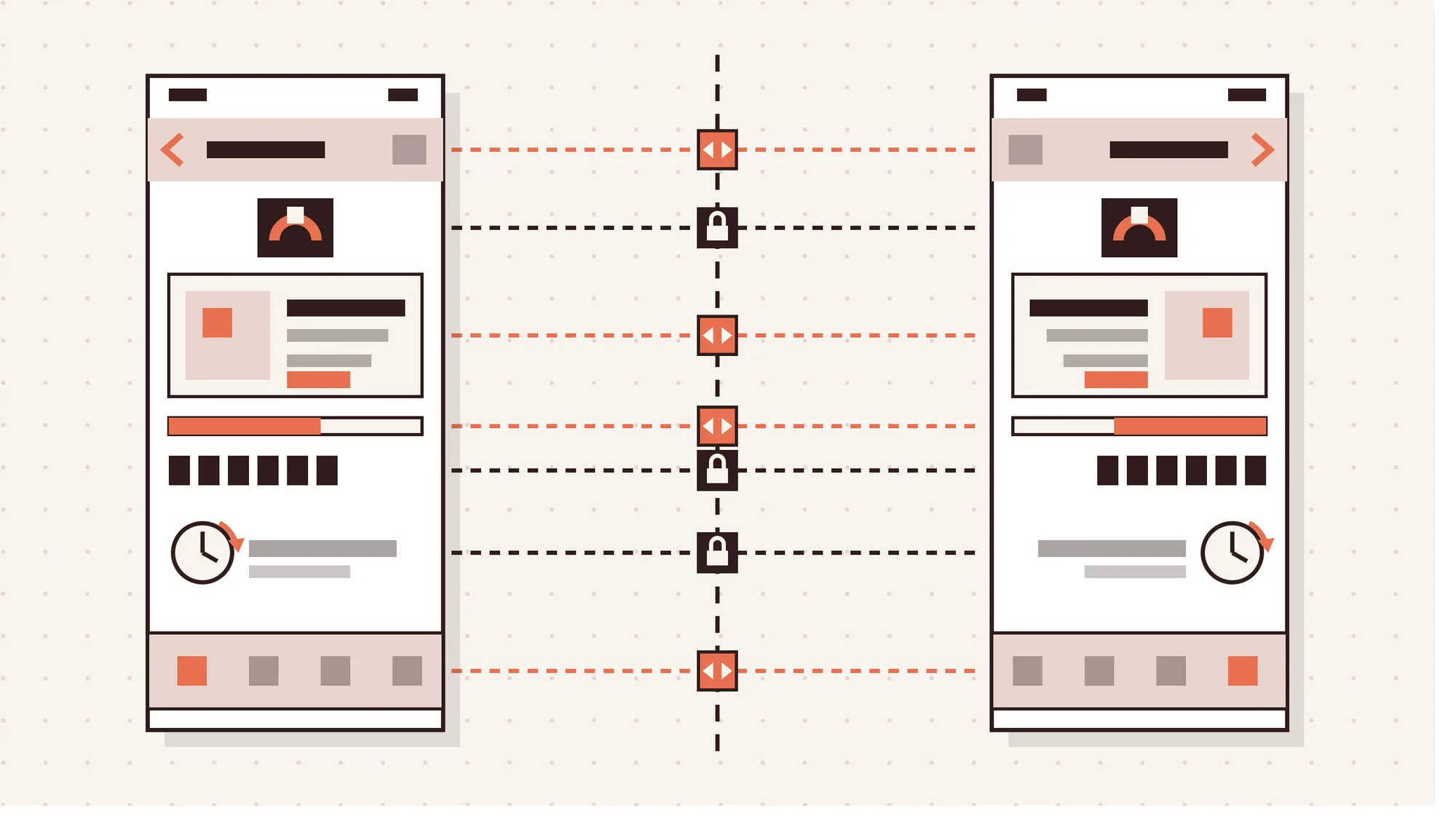
- Mirror the layout and reading order. Flip each screen so content starts on the right. Audit existing screens one by one, because headers, lists, cards and spacing all change position.
- Flip directional elements only. Write mirroring rules for arrows, chevrons and progress indicators. Anything pointing to a next or previous step follows the new reading direction.
- Keep universal and real-world elements fixed. Logos, clocks, media controls and object icons stay as they are. Flipping them changes their meaning and makes the interface feel broken.
- Set script-specific typography. Build a type scale per script, with its own sizes, weights and line heights. Arabic and Hebrew glyphs don't share Latin proportions, so copied settings rarely work.
- Test with native readers on real devices. Run side-by-side checks of the LTR and RTL builds first. Then test with native readers, since simulators miss gesture, keyboard and font issues.
What Should Be Mirrored in an RTL Mobile App?
The elements that should be mirrored in an RTL mobile app are directional ones. They show reading order, sequence or forward motion. Good RTL mirroring rules separate direction from meaning.
Apple's Human Interface Guidelines for right-to-left note that system-provided UI components flip automatically in the RTL context. Custom components don't, so designers must mark each one.
The elements to mirror in an RTL mobile app are outlined below.
- Navigation bars, tab order and lists. Titles, list rows and tab sequences start from the right. Right-aligned text becomes the default across headers, cells and cards.
- Back and forward arrows and chevrons. The back button points right, so screen flow matches reading order. Next and previous buttons swap sides.
- Progress bars, sliders and rating controls. These fill from right to left. Reverse the numeral order in the control too, but never flip the digits themselves.
- Carousels, pagers and swipe actions. The first card sits on the right, and users swipe left to move forward. Page indicator dots follow the same order.
- Icons that show text or reading direction. Text alignment and list icons must flip. An unflipped text icon tells Arabic readers the content runs the wrong way.
- Icons that show forward motion. Speaker waves, a moving bicycle and a send arrow imply direction. Mirror them so the motion points left, which is forward in RTL.
What Should Not Be Mirrored in an RTL Mobile App?
The elements that should not be mirrored in an RTL mobile app are universal signs and real-world objects. Anything tied to clockwise or tape direction stays fixed too, and good RTL icon mirroring respects that.
Apple warns that a flipped logo confuses people and can even have legal repercussions.
The elements to keep unchanged in an RTL mobile app are given below.
- Logos and universal marks. Brand logos, wordmarks and the checkmark keep their original form. A flipped checkmark looks like an error.
- Clocks, circular refresh and circular progress. Clocks turn clockwise everywhere. Spinners, refresh arrows and progress rings keep that clockwise motion in both layouts.
- Media playback controls and media progress bars. Play, rewind and fast forward follow tape direction, which stays left to right. The media progress bar fills from the left.
- Real-world object icons. A camera, search magnifier, pencil or headphones show physical objects. Many depict right-handed tools, so flipping them looks odd.
- Photos and illustrations, unless they show direction. Keep imagery as shot or drawn. Redraw an illustration only when it implies a flow toward the next step.
- Digit order in phone, card and order numbers. These always read left to right. Reversed digits create a different number and cause failed calls or payments. On iOS, SF Symbols variants handle much of this, since many symbols ship with RTL versions.
How Should Typography and Numbers Be Handled in RTL Apps?
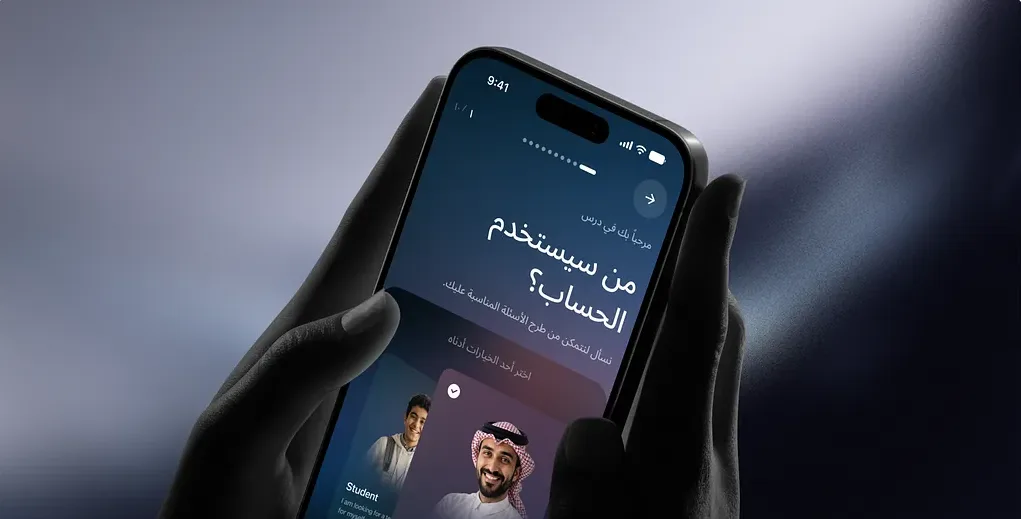
Typography and numbers in RTL apps should be handled by giving each script its own type settings. Numerals are then chosen per market. Good Arabic UI typography protects connected letterforms, diacritics and deep descenders.
5 typography and number rules for RTL apps are given below.
- Use a typeface with a designed Arabic or Hebrew version. System fallback fonts rarely match your Latin weight. Pick a family where both scripts share visual balance.
- Increase line height for Arabic body text. Set it to about 1.6 to 1.8, versus about 1.4 for English. The extra space stops dots and diacritics from colliding.
- Avoid letter-spacing and fake italics on Arabic text. Arabic letters connect, so tracking breaks the joins. Use weight or color for emphasis instead of slanting.
- Increase RTL font size next to uppercase Latin text. Apple's guidelines suggest about 2 points larger. Otherwise Arabic or Hebrew looks smaller at the same point size.
- Choose Western or Eastern Arabic numerals per market. Western Arabic numerals are 0 to 9, and Eastern Arabic numerals are ٠ to ٩. Apply the choice across the whole app. Per Apple's guidelines, Hebrew uses Western Arabic numerals, while Arabic uses either system depending on the country. Plan for text length changes too, since Arabic copy can run shorter or longer than English.
How Do Navigation and Gestures Change in RTL Mobile Apps?
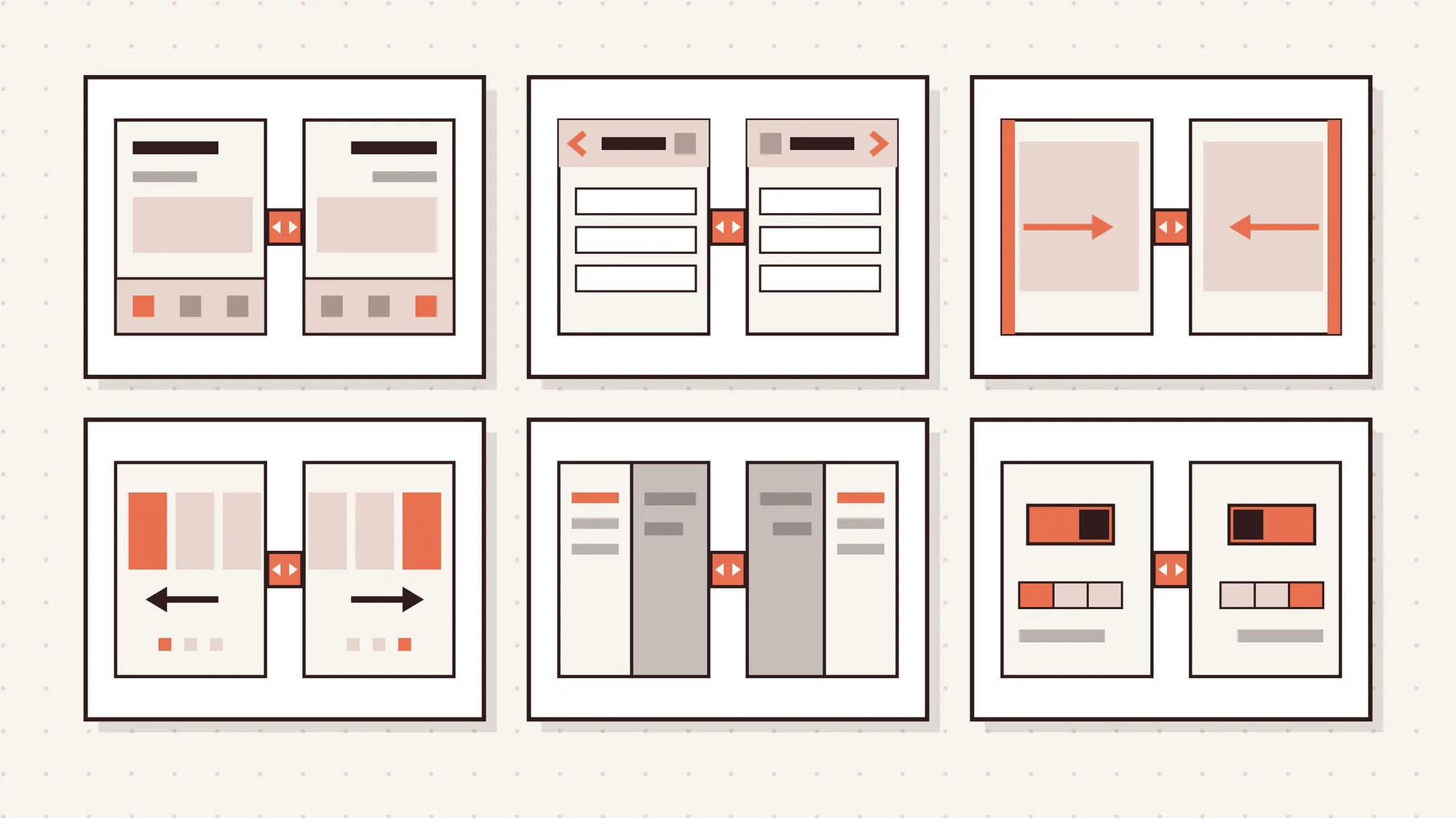
Navigation and gestures in RTL mobile apps change by reversing navigation order and swipe direction. Clear RTL navigation patterns help Arabic users feel at home fast.
The navigation and gesture changes in RTL mobile apps are outlined below.
- Tab bars and bottom navigation. The first tab starts on the right, so Home usually sits at the far right. Keep the same icons and just reverse the tab bar order.
- Navigation bar and back button placement. The back button moves to the top right and points right. Trailing actions such as search or share move to the top left.
- Swipe-back and swipe actions on list rows. Swipe-back starts from the right edge. Row actions like delete reveal from the opposite side, so test each one by hand.
- Carousels, onboarding pagers and tabs. An onboarding carousel advances right to left. Per Material Design's bidirectionality guidance, users swipe right to see more tabs.
- Navigation drawers, rails and bottom sheets. The leading edge moves to the right, so drawers and the navigation rail slide in from there. Bottom sheet content and handles mirror too.
- Toggles and segmented controls. A toggle's on state moves to the left. Segmented controls reverse their order, so the first option sits on the right. Gestures and interactions mirror along with visuals. A static mockup can't show a wrong swipe, so test interaction mirroring on a working build.
How to Design Forms and Mixed-Direction Input for RTL Apps?
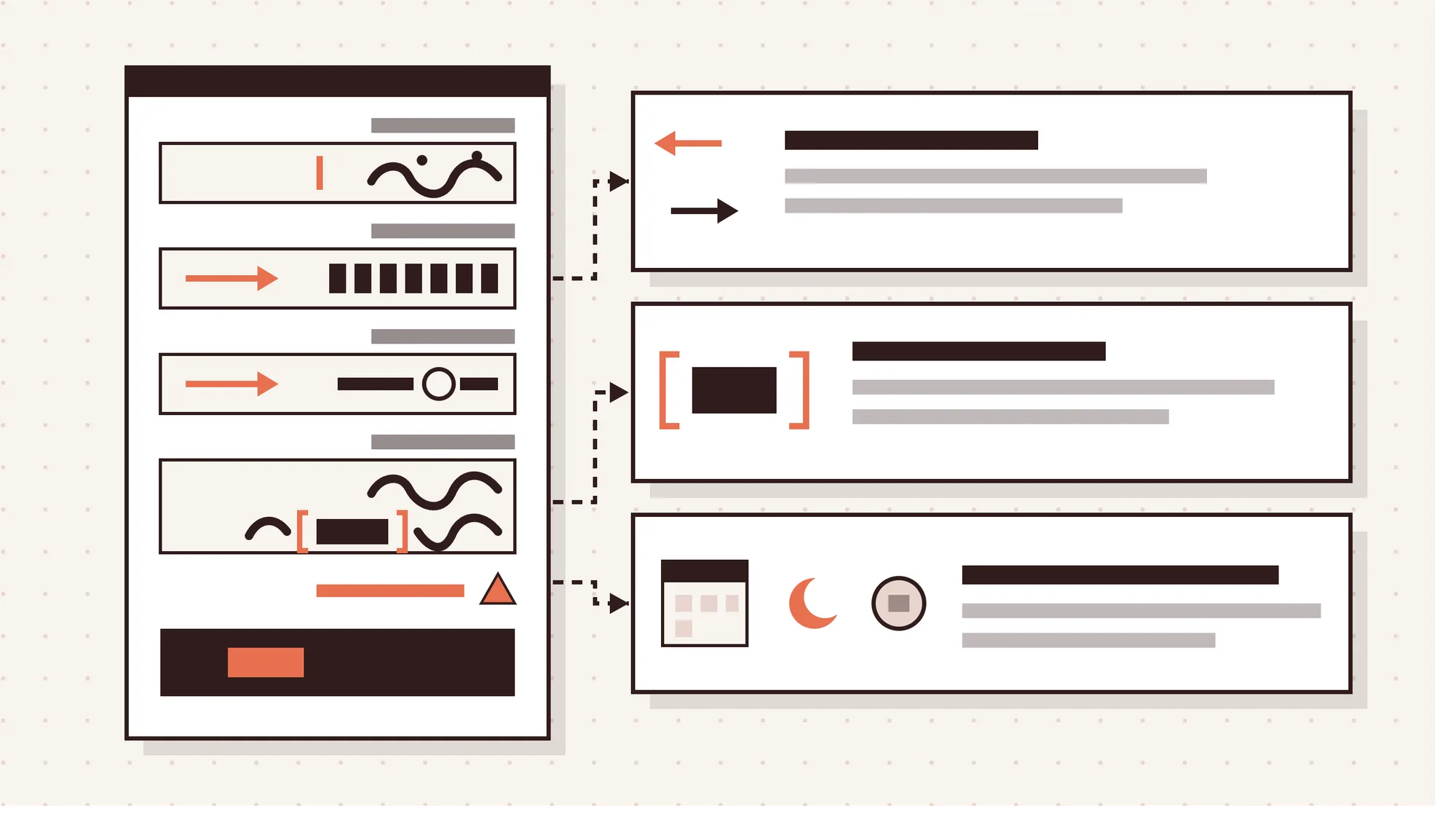
To design forms and mixed-direction input for RTL apps, right-align the interface and set text direction per field. Strong RTL form design treats every input as its own direction decision.
5 steps to design RTL forms and input fields are given below.
- Right-align labels, hints and error messages. Labels sit above or to the right of input fields. Helper text, counters and error messages share that right-aligned edge.
- Keep phone numbers, emails and URLs left to right. These formats stay LTR inside an Arabic form. Set field-level direction for telephone, email and URL input.
- Set direction per field for free text. Use auto direction so a field follows the first strong character typed. English entries align left, and Arabic entries align right.
- Isolate English brand names, codes and prices inside Arabic sentences. Bidi isolation keeps mixed-direction text in order. Without it, punctuation and numbers jump to the wrong end.
- Localize dates, currency symbols and calendars. Use local date formats and place currency symbols where users expect them. Offer the Hijri calendar where your market uses it. Cursor behavior needs attention as well. The cursor starts on the right in Arabic fields. It can jump when users switch keyboards between Arabic and English, so test keyboard switching on real phones.
How to Implement RTL Layouts on iOS, Android, Flutter and React Native?
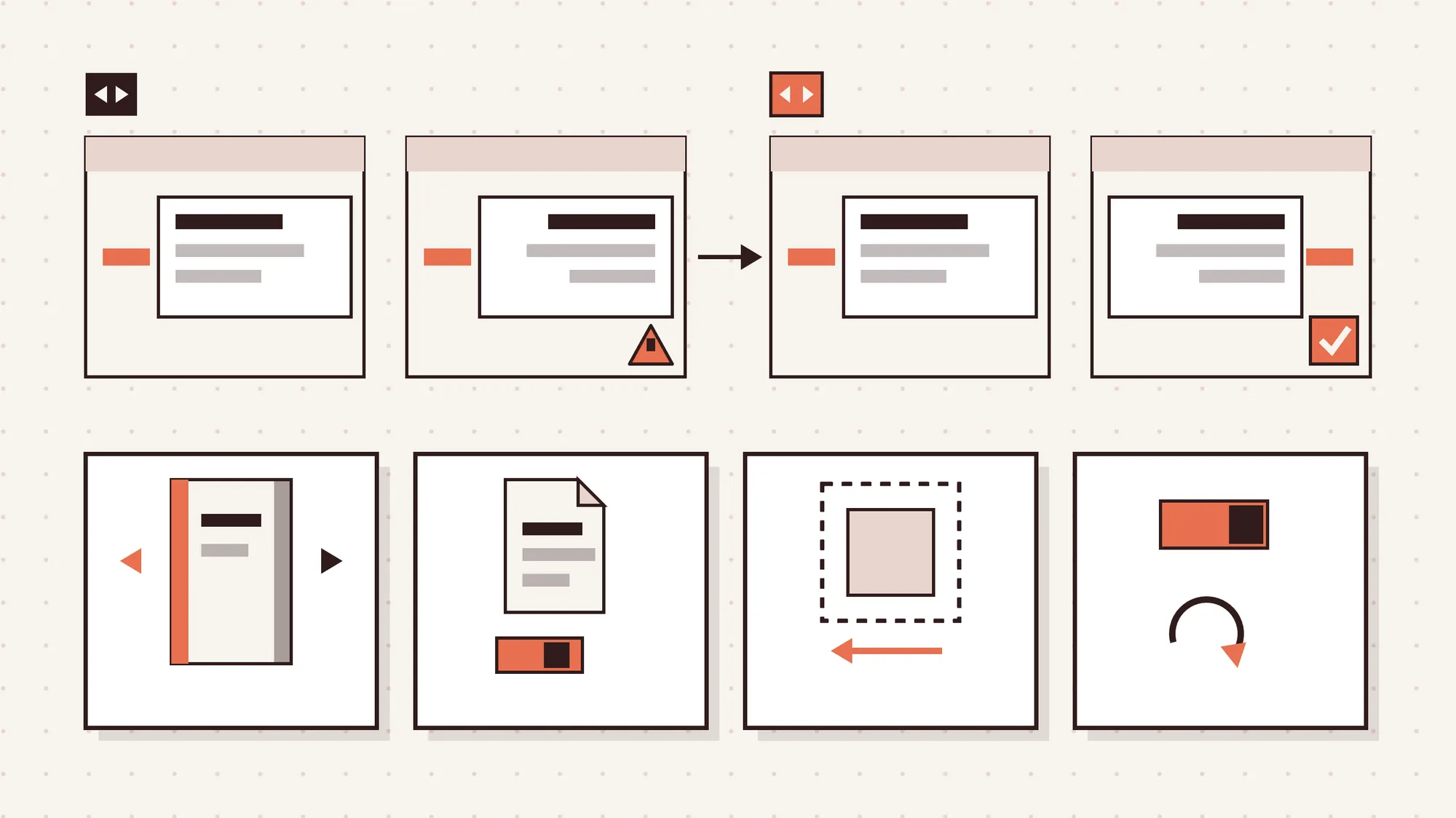
To implement RTL layouts on mobile platforms, replace every hard-coded left and right with start and end. Apple calls these leading and trailing. That rule lets one codebase flip direction with the device or in-app language.
Clean design handoff makes this easier. Teams handling mobile app development ship faster when specs already label spacing as start and end.
The RTL implementation methods for 4 mobile platforms are given below.
- iOS with SwiftUI and UIKit. System frameworks flip automatically when the device runs an RTL language. Use leading and trailing constraints instead of left and right. SF Symbols provide RTL variants, and custom images can be set to mirror in the asset catalog.
- Android with Views and Jetpack Compose. Declare
android:supportsRtl="true"in the manifest. Then use start and end attributes instead of left and right. In Compose, start and end padding map to right and left in RTL, andLocalLayoutDirectionforces a direction. - Flutter. Wrap content in the
Directionalitywidget and setTextDirection.rtlfor Arabic or Hebrew. UseEdgeInsetsDirectionalinstead of plainEdgeInsets. A start margin then becomes a right margin in RTL, and most Material widgets flip on their own. - React Native. Control direction through
I18nManagerand use start and end in styles. Direction changes apply only on the next app start, so plan a restart prompt. Ronas IT notes that Expo enables RTL by default in builds.
How Is AI Changing RTL Mobile App Design?
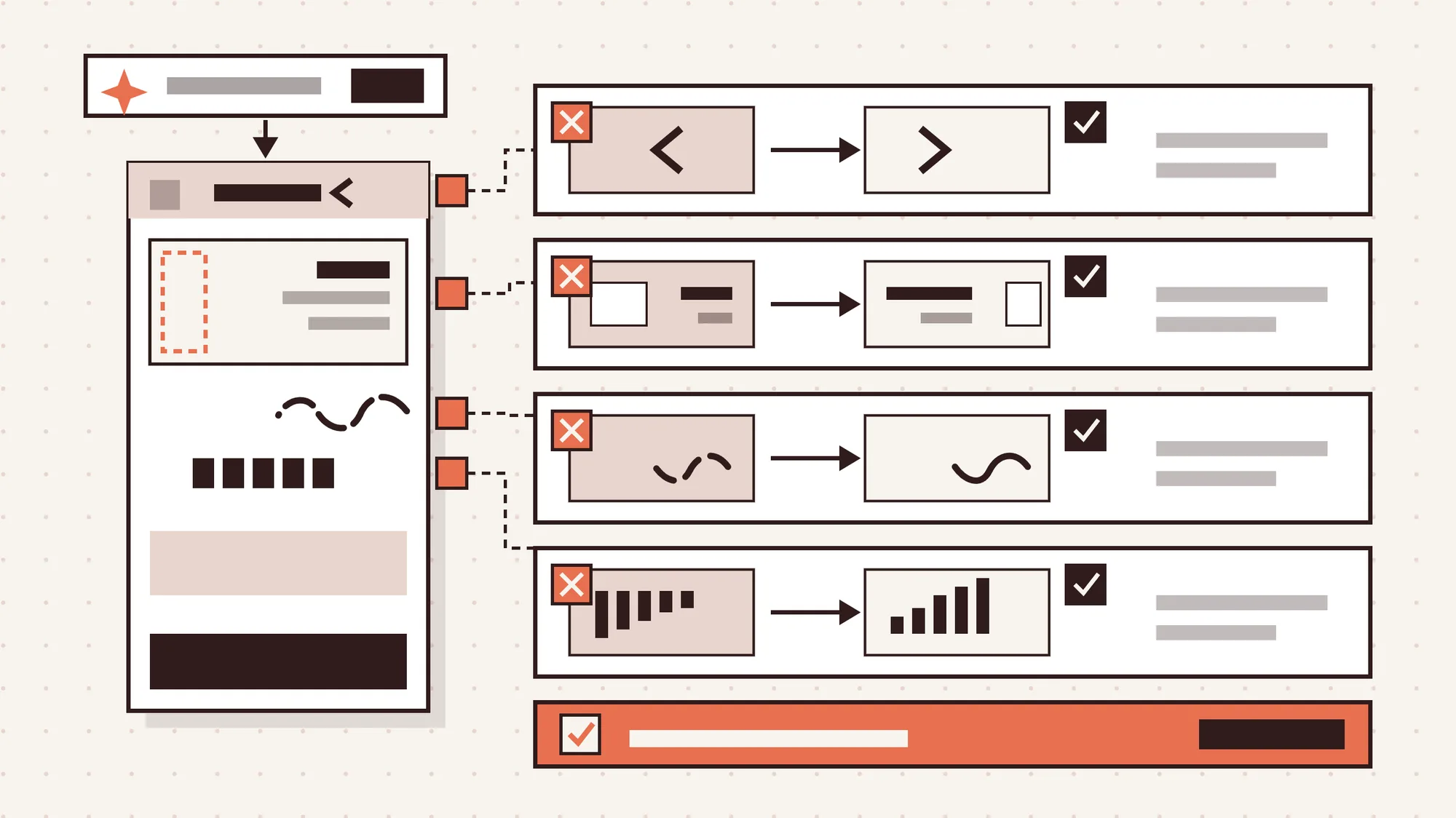
AI is changing RTL mobile app design by producing mirrored first drafts in minutes. It also moves RTL rules into files that agents can read. Agencies exploring a complete AI solution still need senior designers to check every RTL decision.
5 ways AI is changing RTL mobile app design are given below.
- On-canvas design agents. Figma's agent launched in beta on May 20, 2026 and became generally available on October 6, 2026. It translates canvas copy and restructures frames for RTL, and it now uses Figma AI credits.
- One-click mirroring plugins. Figma plugins translate copy, mirror auto layout order and swap left and right padding in one pass. Work that took a day per flow now starts from a usable draft.
- AI-readable design systems. Google Labs open-sourced DESIGN.md in April 2026. Add a Direction and Script section to it, so design and coding agents follow your RTL rules.
- AI chat interfaces. Streamed AI replies mix Arabic, English, numbers and code in one message. Set direction per paragraph, not per screen, or one English word can flip a whole reply.
- Arabic-first language models. Jais from the UAE and ALLaM from the Saudi Data and AI Authority put Arabic first. Teams use them for copy drafts that read less like machine translation. AI agents still repeat the same mistakes. They leave arrows unflipped and keep physical left and right spacing. They also apply Latin letter-spacing that clips diacritics and put numbers in the wrong order.
So AI speeds up drafts, but native Arabic review is still needed. Only a human reader can judge letter joins, dialect and tone.
How Much Does RTL Mobile App Design Cost?
RTL mobile app design costs from about $1,000 for analysis to $7,500 or more for multi-platform work. Those figures come from the published price points of Ronas IT, one agency in this space.
Ronas IT's published RTL price points are listed below.
- Analysis costs $1,000 to $2,000 and takes about 1 week.
- New product design in both directions starts from $2,000.
- Existing product redesign starts from $2,500.
- One platform with design included starts from $5,000.
- A web app plus cross-platform mobile starts from $7,500, and each extra platform costs half the first. Several factors push the cost up. The main ones are screen count, a second layout per screen, custom icons, bidirectional text and native-speaker testing.
The cheapest RTL project is the one planned early. Avoid hard-coded left and right from the start, and the extra cost stays low. For wider budgeting, compare these figures with typical app design cost ranges.
How to Test an RTL Mobile App?
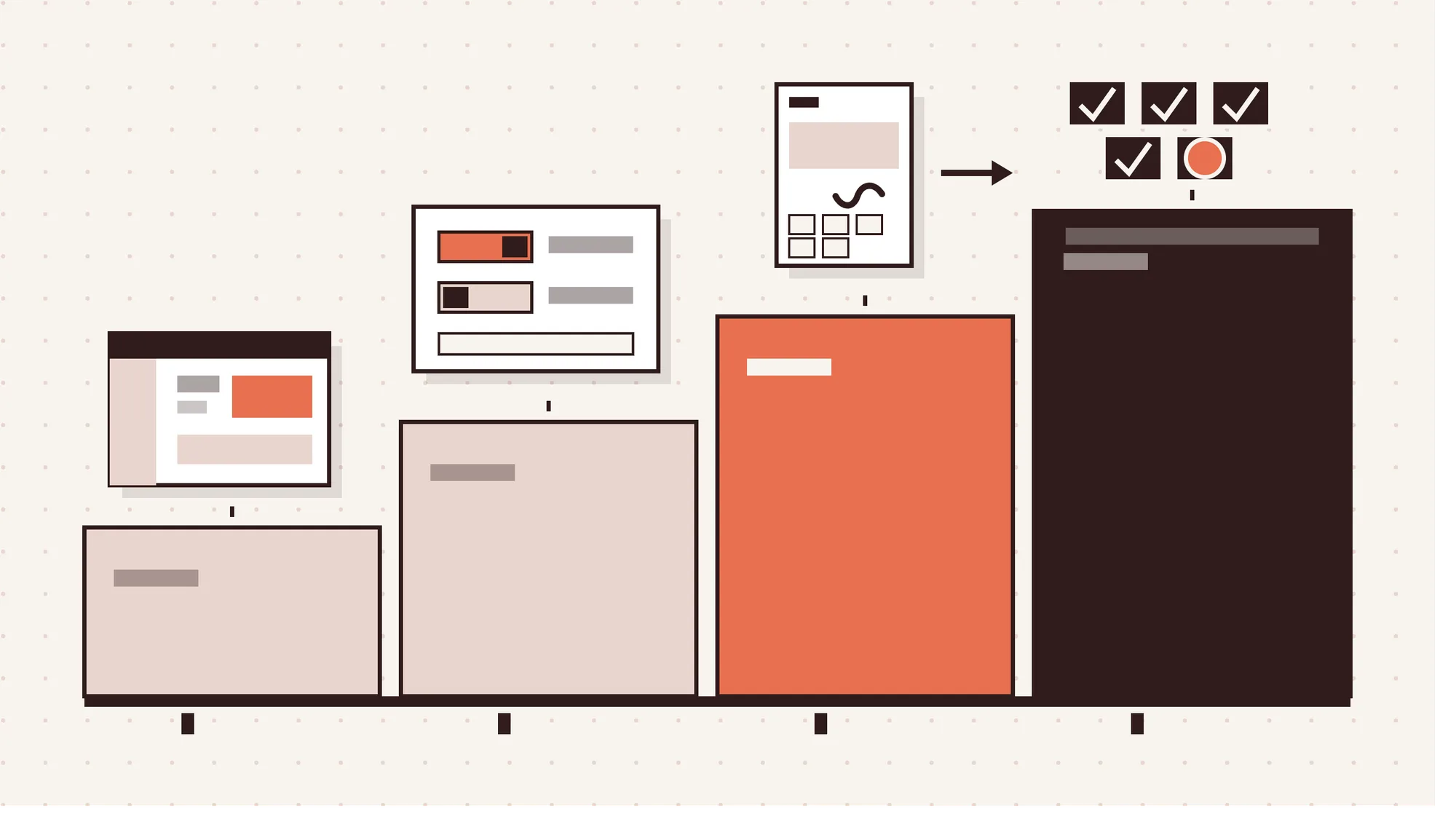
To test an RTL mobile app, combine simulated RTL builds with real devices and native readers. Good RTL app testing catches unmirrored elements, misplaced punctuation and broken gestures before launch.
5 steps to test an RTL mobile app are given below.
- Preview RTL layouts in Xcode and Android Studio. In Xcode, open the scheme's Run options and set App Language to Right-to-Left Pseudolanguage. Android Studio's layout preview can also render screens right to left.
- Run the Android ar-XB pseudolocale. Enable
pseudoLocalesEnabledin the debug build type, then switch the device to ar-XB. It mirrors the layout while keeping strings readable for testers. - Turn on Force RTL layout direction. Find it in Android developer options. It flips every app on the device, so custom components that ignore start and end stand out fast.
- Switch real devices to Arabic or Hebrew. Change the device language settings and walk every flow. Test swipe gestures, keyboards and screen reader order on each screen.
- Run usability tests with native readers. About 5 native readers at 30 minutes each will surface most direction problems. Watch where they hesitate, misread a number or tap the wrong arrow.
Which Languages Need RTL App Design?
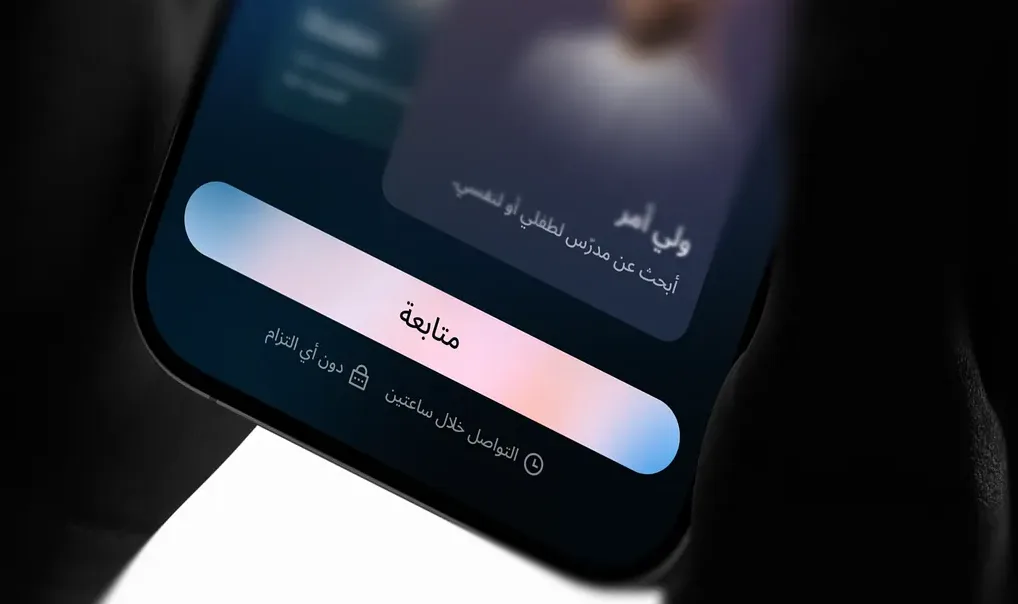
The languages that need RTL app design are Arabic, Hebrew, Persian, Urdu, Pashto, Sindhi, Dhivehi and Yiddish. Arabic script alone covers most of the Middle East and North Africa.
At the script level, the W3C lists 6 right-to-left scripts. They are Adlam, Arabic, Hebrew, N'Ko, Syriac and Thaana, which Dhivehi uses.
Is Hebrew RTL Design Different From Arabic?
Yes, Hebrew RTL design is different from Arabic because the scripts behave differently. Both share the same mirroring rules.
But Arabic letters connect and change shape by position, while Hebrew letters stay unconnected. So each script needs its own font and sizing decisions, and Hebrew always uses Western Arabic numerals.
Is RTL App Design Worth It?
Yes, RTL app design is worth it because it opens markets a translated LTR app can't fully reach. Arabic, Hebrew, Persian and Urdu speakers expect a native experience.
Across MENA and GCC markets, a properly mirrored app earns more user trust. Better usability then leads to stronger engagement than translation alone.
How Long Does It Take to Convert an App to RTL?
Converting an app to RTL takes at least 1 week for design, based on Ronas IT's minimums. One platform with design and development takes at least 2 weeks.
An existing LTR product often takes longer. Screen count, custom components, platforms and testing rounds all stretch the timeline.
Does RTL Localization Improve App Retention?
Yes, RTL localization does improve app retention because users stay in apps that read naturally. In the Sweatcoin case study documented by Kristina Volchek, Day 3 retention rose 13% after the Arabic launch.
A localized experience removes the small friction points that push new users away.
What Are the Pros and Cons of Using AI Tools for RTL App Design?
AI tools for RTL app design save time on drafts but add new error types.
The pros and cons of using AI tools for RTL app design are given in the table below.
| Pros of AI tools for RTL design | Cons of AI tools for RTL design |
|---|---|
| Faster first drafts of mirrored screens | Wrong icon direction on arrows or media controls |
| One-click mirroring of auto layout and padding | Physical left and right spacing kept |
| Dialect-aware Egyptian and Saudi Arabic translation | Clipped diacritics from Latin type settings |
| Bulk edits across many frames | AI credits add usage costs |
| Design system tokens agents can read | Native review still required |
Use AI for speed, then budget time for native review on every screen.
What Are the Best Tools for RTL Mobile App Design?
The best RTL design tools are a design tool with RTL text support, plugins and tested Arabic fonts. Figma has supported RTL languages, including Arabic, Hebrew and Urdu, since March 29, 2022.
What Are the Best Arabic Fonts for Mobile Apps?
The best Arabic fonts for apps stay readable at small sizes and pair cleanly with Latin text.
4 popular Arabic fonts for mobile apps are given below.
- Cairo- A modern sans with multiple weights and a matching Latin set. It suits headlines and short labels.
- Tajawal- A clean, low-contrast sans that stays readable at small sizes on dense screens.
- IBM Plex Arabic- A bilingual font family built to sit beside IBM Plex Sans in product interfaces.
- Noto Sans Arabic- A broad-coverage sans from Google with many weights. It's a safe default for wide character support. Avoid decorative fonts in interface text, since they fail at small sizes.
What Are the Best Figma Plugins for RTL Design?
The best Figma plugins for RTL design mirror frames, create RTL variants and handle Arabic glyphs.
4 Figma plugins for RTL design are given below.
- RTL Layout- Mirrors frames and components and creates RTL variants. It adds AI translation with Egyptian and Saudi dialects.
- Easy Arabic Translator- Translates English to Arabic, reverses auto layout order and swaps padding.
- RTL Toolkit- Generates RTL variants of existing frames and translates them into 15 languages.
- Arabic & RTL Support- Reshapes Arabic glyphs and handles mixed English and Arabic text.
What Is the Difference Between RTL and LTR Design?
The difference between RTL and LTR design is the reading start point. RTL design starts from the right, while LTR design starts from the left.
So RTL vs LTR design changes alignment, navigation order and icon direction. RTL uses right-aligned text, reversed navigation and flipped directional icons. A good RTL screen is a mirrored version of the LTR one, not a copy.
What Is the Difference Between RTL Design and Localization?
The difference is scope. Localization covers translation, culture, dates and currency, while RTL design covers layout direction. You can localize into French without RTL work, but Arabic needs both.
Our guide to white label Arabic design covers the wider localization side.
What Is the Difference Between RTL and Bidirectional (BiDi) Design?
RTL design sets one direction for the whole interface. BiDi design handles RTL and LTR text in the same interface.
English names and numbers inside Arabic sentences are BiDi cases. The Unicode Bidirectional Algorithm and direction isolation keep those mixed scripts in order.
Frequently Asked Questions
Do iOS and Android Support RTL by Default?
Yes, iOS and Android support RTL by default because their system-provided UI frameworks flip automatically. But custom components, custom icons and testing still need work. Android apps must also declare android:supportsRtl="true" in the manifest, or the layout won't mirror.
Should Numbers Be Mirrored in RTL Apps?
No, numbers should not be mirrored in RTL apps because reversing digits changes their value. A phone or credit card number reads the same in every layout.
However, the order of numerals in progress or rating controls does reverse. Clear rules for Arabic numerals in UI prevent mix-ups.
Do Charts and Graphs Flip in RTL Layouts?
No, charts and graphs do not flip in RTL layouts by default. Material Design guidance keeps them unmirrored, so time-axis charts usually run left to right. Some Arabic-first products do mirror them, so set a rule per market and apply it consistently.
Can One App Support Both RTL and LTR Layouts?
Yes, one app can support both RTL and LTR layouts because modern frameworks switch direction at runtime. You need one codebase, start and end properties and a bidirectional component library.
The app then follows the device or in-app language. Good bilingual app design plans for this early.
Final Thoughts
RTL mobile app design comes down to a few habits. Mirror the reading flow, keep universal elements fixed and set script-specific typography. Then implement with start and end, and test with native readers on real devices.
AI tools now speed up RTL conversion, but human review still decides whether the app feels native. If you need a design partner for RTL UI/UX design, explore Panze's mobile app design services. Our senior designers can support your next Arabic or Hebrew launch.